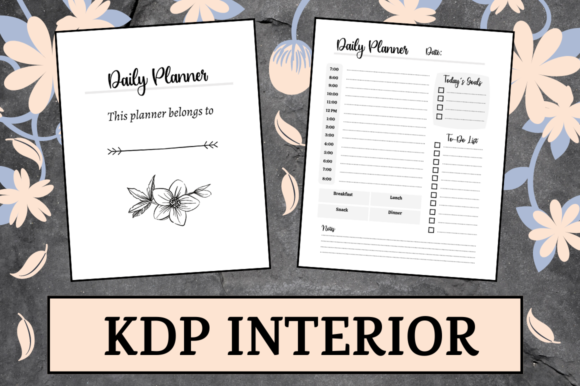
Mastering KDP Publishing with a Customizable Daily Planner Interior Template
The landscape of self-publishing has evolved dramatically over the last decade, transforming from a niche hobby into a legitimate business model for creators, entrepreneurs, and designers. Among the most popular and enduring categories in Amazon’s Kindle Direct Publishing (KDP) ecosystem is the low-content book market, specifically daily planners. However, success in this space no longer comes from simply uploading generic templates. It requires high-quality design, strategic customization, and technical precision. This is where a professional Daily Planner KDP Interior becomes an essential asset.
For publishers looking to streamline their workflow while maintaining creative control, downloadable interior templates offer a perfect balance of efficiency and originality. By utilizing a comprehensive package that includes PDF, PowerPoint, Illustrator, and InDesign formats, creators can bypass the steep learning curve of layout design while still producing unique, market-ready products. Understanding how to leverage these multi-format resources is the key to building a sustainable publishing portfolio.
The Strategic Value of Multi-Format Source Files
One of the most common misconceptions among new KDP publishers is that a print-ready PDF is all they need. While a high-quality PDF is indeed the final deliverable required by Amazon, relying solely on a static file limits your long-term potential. The true value of a premium Daily Planner interior lies in the inclusion of editable source files like PPTX, AI, and INDD.
Having access to these native files transforms a static template into a dynamic foundation for your brand. Here is why each format matters in a modern publishing workflow:
- Adobe InDesign (INDD): This is the industry standard for professional book layout. For experienced designers, the INDD file allows for granular control over typography, grid systems, and master pages. It is ideal for those who want to restructure the planner entirely or integrate complex branding elements.
- Adobe Illustrator (AI): Vector-based editing is crucial for maintaining crisp lines and scalable graphics. If you plan to redesign cover art, modify icons, or adjust decorative borders without losing quality, the AI file provides the necessary flexibility.
- PowerPoint (PPTX): Perhaps the most underrated format for beginners, PowerPoint serves as an accessible entry point for non-designers. Many creators are already familiar with PPTX interfaces, making it easier to add text, change colors, or rearrange simple elements without learning professional design software.
- Print-Ready PDF: For those who want to publish immediately without modification, the pre-formatted PDF ensures that all margins, bleed settings, and resolution requirements are already met.
This versatility ensures that the template serves both the seasoned graphic designer and the entrepreneurial beginner, democratizing access to high-quality publishing assets.
Understanding Technical Specifications for KDP Success
Even the most beautiful planner will fail if it does not meet Amazon’s strict printing guidelines. Technical errors are the primary reason for rejection or poor customer reviews in the low-content niche. When selecting or using a Daily Planner interior, understanding the specific specifications is non-negotiable.
Dimensions and Trim Size
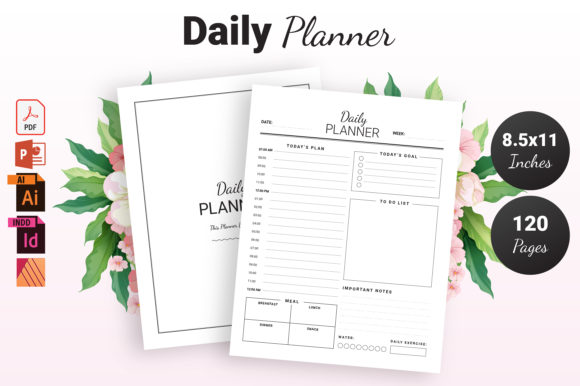
The 8.5″ x 11″ dimension is the gold standard for daily planners. This size offers ample writing space for users, making it practical for desk use, academic planning, and detailed journaling. Unlike smaller trim sizes that may feel cramped for daily logging, the letter-size format accommodates hourly schedules, to-do lists, and reflection sections comfortably. From a publishing perspective, this size also aligns with standard paper stock availability, often resulting in more predictable printing costs and availability.
Page Count and Spine Considerations
A 120-page count is strategically significant for daily planners. It provides enough content to feel substantial and valuable to the buyer without driving up production costs excessively. At 120 pages, the book remains lightweight and portable, yet thick enough to justify a competitive price point. Furthermore, this page count sits in a sweet spot for KDP’s manufacturing options, ensuring compatibility with both standard and premium color printing if you decide to upgrade your interior in the future.
The "No Bleed" Advantage
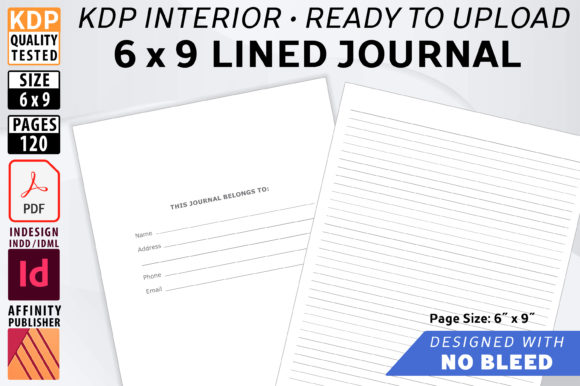
The specification of No Bleed is particularly important for planners. Bleed refers to artwork that extends beyond the edge of the page, which gets trimmed off during printing. While bleed creates a seamless look for photo books, it introduces risk for text-heavy interiors like planners. A "No Bleed" setup keeps all critical content—lines, text, and boxes—within a safe margin. This eliminates the risk of vital planning elements being accidentally cropped during the binding process. For functional books where usability is paramount, no bleed ensures consistency and readability across every single copy printed.
Customization: The Key to Standing Out in a Saturated Market
The days of uploading unmodified templates and expecting sales are over. Amazon’s algorithm and customers alike favor uniqueness. The editable nature of this Daily Planner interior is designed specifically to facilitate differentiation. Customization is not just about changing fonts; it is about adapting the product to serve a specific audience.
Consider the following practical applications for customization:
- Niche Adaptation: A generic daily planner appeals to everyone and no one. By using the source files, you can adapt the interior for specific demographics. Add lesson planning sections for teachers, medication tracking for caregivers, or project milestones for freelancers. The base structure remains, but the utility becomes specialized.
- Branding Integration: Consistent branding builds recognition. Use the AI or INDD files to insert your logo, website URL, or social media handles on the intro pages or footer areas. This turns a simple planner into a marketing tool for your broader business or author platform.
- Seasonal Updates: Planners are often seasonal products. With editable files, you can quickly update year-specific dates, holiday references, or seasonal motifs without rebuilding the entire book from scratch. This efficiency allows you to maintain an evergreen catalog with minimal recurring effort.
Educational Relevance and Practical Application
Beyond the commercial aspect, understanding how to work with these files builds valuable digital literacy skills. Navigating between PowerPoint, Illustrator, and InDesign teaches fundamental concepts of desktop publishing, layer management, and print production. For students, educators, or professionals looking to pivot into digital design, working with a real-world project like a KDP planner provides hands-on experience that theoretical tutorials cannot match.
Furthermore, the process of customizing a planner encourages a deeper understanding of user experience (UX) design. You must think critically about how a person interacts with a physical page. Where should the date go? How much white space is needed for handwriting? Is the font size legible? These are UX questions applied to analog media. Developing this empathy for the end-user improves not only your planners but any design work you undertake in the future.
Common Misunderstandings About Low-Content Publishing
As you integrate this Daily Planner interior into your workflow, it is helpful to clarify a few persistent myths:
Myth: Source files allow you to ignore copyright.
Reality: Purchasing a template grants you usage rights, typically for commercial publishing, but it does not transfer ownership of the original design. Always review the licensing agreement. You generally cannot resell the template itself as a standalone digital product; you must create a derivative work intended for end consumers.
Myth: More pages equal higher value.
Reality: Value is derived from utility, not volume. A 120-page planner that is well-organized and thoughtfully designed is superior to a 200-page planner filled with repetitive, useless filler. Respect the user’s time and money by focusing on quality over quantity.
Myth: PDF is always safe.
Reality: Even a "print-ready" PDF should be verified. Always download Amazon’s previewer tool or order a physical proof copy before launching. Screen rendering differs from print output, and verifying your no-bleed margins physically is the only way to guarantee customer satisfaction.
Building a Sustainable Publishing Workflow
Ultimately, a high-quality Daily Planner KDP Interior is more than just a product; it is a workflow accelerator. By starting with a professionally engineered foundation that meets all technical specifications—8.5″ x 11″ dimensions, 120 pages, and correct no-bleed margins—you eliminate the most tedious aspects of book creation. The inclusion of PDF, PPTX, AI, and INDD files ensures that you are never locked into a single skill level or software ecosystem.
Whether you are a teacher creating classroom organizers, a coach developing client workbooks, or an entrepreneur building a passive income stream, the ability to customize and control your interior content is what separates fleeting trends from lasting businesses. Embrace the tools, respect the technical requirements, and focus your energy on creating genuine value for your readers. In the world of KDP, the best planner is not the one made fastest, but the one made with intention, precision, and adaptability.