Streamlining KDP Publishing with a 6 X 9 Lined Journal No Bleed Template
Creating low-content books for Amazon Kindle Direct Publishing (KDP) is often described as a passive income stream, but experienced publishers know it is actually a volume and efficiency game. The difference between a profitable catalog and a frustrating hobby often lies in the production workflow. This is where a professionally structured 6 X 9 Lined Journal - NO BLEED template becomes an essential asset. Rather than setting up margins, line spacing, and bleed settings from scratch for every new title, utilizing a pre-formatted interior allows creators to focus on niche research and cover design, which are the true drivers of sales.
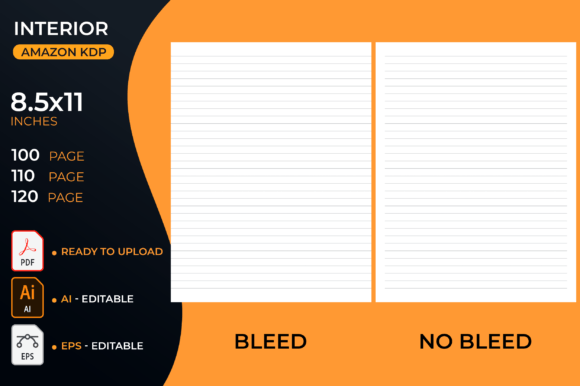
The specific dimensions of this template address one of the most common technical hurdles in self-publishing: the trim size versus the document size. While the final product is a standard 6 x 9 inch journal, the source file is set to 6.13 x 9.25 inches. This intentional oversizing accounts for the bleed area required by KDP’s printing process. When you select the "Bleed" option during the upload process, Amazon trims the excess 0.13 inches from the edges, resulting in a crisp, professional finish where lines extend perfectly to the edge of the page without unwanted white borders or cutoff content.
Technical Precision and Print Readiness
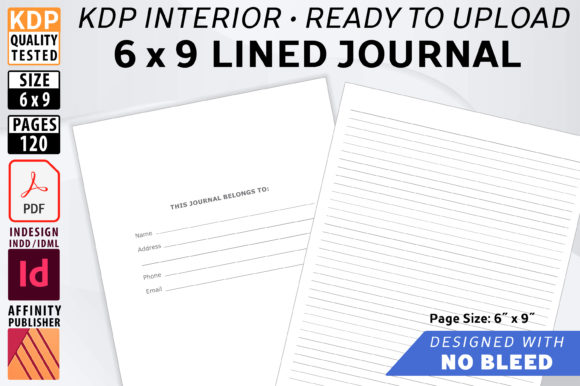
One of the primary anxieties for new KDP publishers is receiving a proof copy that looks unprofessional due to formatting errors. A high-resolution, print-ready PDF eliminates this guesswork. This specific 6 X 9 Lined Journal - NO BLEED interior has been quality tested directly on the KDP platform, ensuring that the 120 pages align correctly with industry standards. The inclusion of a "Belongs To" contact page adds immediate value to the end user, transforming a stack of paper into a functional personal tool.
The line weight is another critical detail that separates amateur interiors from professional ones. The lines in this template are set at 70% black rather than pure 100% black. This is a deliberate design choice rooted in print technology. Pure black lines can sometimes appear too harsh against cream or white paper, creating a visual vibration that causes eye strain. Furthermore, 70% black ink tends to lay down more evenly on standard book paper stock. As the journal pages are filled in with handwriting, these slightly softer lines fade gracefully into the background, allowing the user's writing to take center stage without competing with heavy grid or ruled markings.
The Strategic Advantage of Editable Source Files
While the ready-to-upload PDF is convenient, the true long-term value of this asset lies in its editable source files. Relying solely on static PDFs limits your ability to adapt to market trends. By providing both Affinity Publisher (.afpub) and Adobe InDesign (.indd) files, this template supports modern, flexible workflows. Publishers can open these files to adjust line spacing, add motivational quotes, insert branding elements, or modify the "Belongs To" page to suit specific niches like nursing, teaching, or fitness tracking.
Customization is strongly recommended not just for uniqueness, but for brand building. If you are publishing a series of journals, having access to the master pages allows you to maintain consistent typography and layout across dozens of titles. The template includes master page spreads, meaning changes made to the master automatically update across all 120 pages. This non-destructive editing capability ensures you never mess up your original file structure while experimenting with new designs.
Compatibility and Future-Proofing
Software compatibility is a frequent pain point in digital publishing. Design tools update frequently, and older files can become inaccessible. This package addresses that friction by including an IDML (.idml) bonus file. This format acts as a universal translator, opening in InDesign CS4 or later, as well as Affinity Publisher 1.8 and newer versions. Whether you are a seasoned designer using the latest Creative Cloud subscription or a budget-conscious publisher utilizing Affinity’s one-time purchase model, the workflow remains seamless. This cross-platform versatility protects your investment in the template regardless of future software changes.
Workflow Efficiency and Scalability
In the context of Amazon KDP, speed matters. Trends emerge and fade quickly; being able to capitalize on a seasonal niche requires rapid deployment. Using a 6 X 9 Lined Journal - NO BLEED template reduces production time from hours to minutes. Instead of calculating gutter margins or testing line opacity, you simply import the PDF or tweak the source file and move to cover creation. Since this digital download includes interior pages only, it reinforces the best practice of treating interiors and covers as separate assets. This modular approach allows you to mix and match interiors with unlimited cover variations, maximizing the potential of a single high-quality template.
Scalability also extends to licensing and usage rights. This interior can be used as many times as desired for self-publishing on Amazon KDP. There is no need to repurchase the asset for each new title. For publishers managing large catalogs, this economic efficiency significantly improves profit margins. The ability to reuse a verified, error-free interior means that every subsequent book launch carries less technical risk and lower overhead costs.
Practical Considerations for Customization
Even though no editing is required to use the base PDF, customizing the template unlocks higher perceived value. Consider the following practical applications for modification:
- Niche-Specific Headers: Add subtle watermarks or headers relevant to specific users, such as "Daily Gratitude," "Patient Notes," or "Lesson Planning."
- Branding Integration: Place a small logo or website URL on the bottom corner of the master page to drive traffic to your other products.
- Functional Additions: Utilize the extra space in the bleed-safe zone to add page numbers, dates, or weekly reflection sections without risking content loss during trimming.
- Paper Stock Optimization: If targeting premium color printing options, adjust the line opacity further to account for different ink absorption rates compared to standard black and white paper.
It is vital to remember that while the interior is handled, the cover must be created separately. The 6.13 x 9.25 inch document size applies strictly to the interior pages. Your cover file will require different dimensions based on page count and paper type. Keeping these files separate prevents the common mistake of accidentally embedding interior pages into the cover wrap or vice versa. Always verify your final PDF export settings to ensure transparency is flattened and fonts are embedded before uploading to KDP.
Maximizing the Digital Download Format
As a digital download, this product offers instant gratification and immediate implementation. There is no shipping delay or physical inventory to manage. However, this also places the responsibility of file management on the user. Upon download, organize the .afpub, .indd, .idml, and PDF files into a dedicated project folder. Create a "Master" copy that remains untouched and a "Working" copy for customization. This simple habit preserves the integrity of the original 6 X 9 Lined Journal - NO BLEED template, ensuring you always have a clean baseline to return to.
Ultimately, success in low-content publishing comes down to the intersection of quality and consistency. A template that handles the technical heavy lifting regarding bleed, trim sizes, and line weights frees up mental energy for creative differentiation. By leveraging professional-grade source files and understanding the nuances of print-ready specifications, publishers can build a sustainable, scalable business on Amazon KDP without getting bogged down in repetitive formatting tasks. The goal is to create books that look indistinguishable from traditionally published counterparts, and starting with a precision-engineered interior is the most reliable path to achieving that standard.