KDP Interior Bowling Score Sheet: Custom Templates
Creating a successful low-content book on Amazon KDP often comes down to utility and design. For niche sports enthusiasts, a generic notebook simply does not cut it. This is where a specialized KDP Interior - Bowling Score Sheet becomes an essential asset for creators. Rather than spending hours drawing grid lines or struggling with complex layout software, this template package provides a professional foundation that is ready for customization. It bridges the gap between technical publishing requirements and creative freedom, allowing you to produce a high-quality logbook without needing advanced graphic design skills.
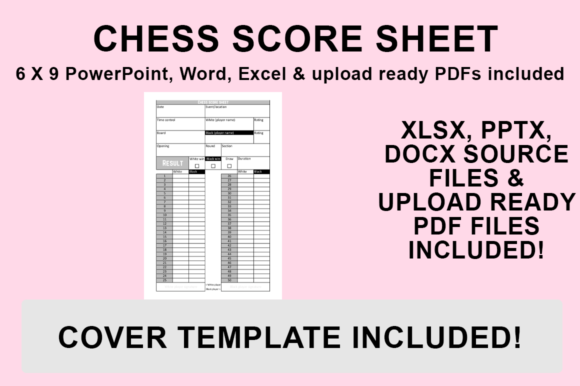
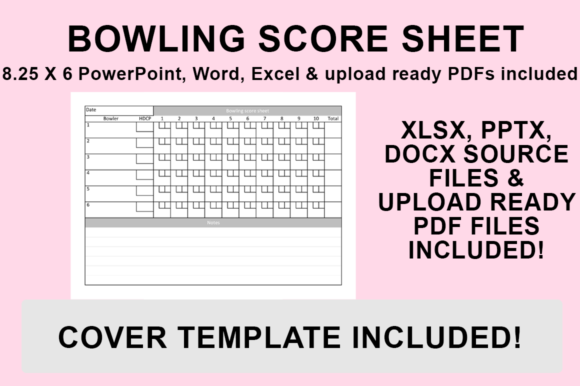
The core value of this resource lies in its versatility. Unlike static PDF templates that lock you into a specific look, these files are provided in editable source formats. You receive PowerPoint, Word, and Excel versions alongside a print-ready PDF. This multi-format approach ensures that regardless of your preferred workflow or software proficiency, you have the tools necessary to build a unique product. The interior is specifically sized at 6″x9″ with no bleed, which is the industry standard for portable logbooks and journals. This precise sizing eliminates common formatting errors during the KDP upload process, saving you time and preventing rejection notices.
Why Editable Source Files Matter for Creators
Many aspiring publishers hit a wall when they realize they cannot modify a pre-made interior to match their brand identity. A bowling score sheet needs to be functional, but it also needs to appeal to a specific audience segment. By providing editable source files, this template empowers you to put your own stamp on the final product. You might choose to adjust the font to something more playful for a youth league tracker or select a minimalist serif typeface for a professional coaching journal. Adding custom graphics, such as pin icons or lane diagrams, transforms a basic utility item into a branded experience.
This level of customization is critical for standing out in a crowded marketplace. When potential buyers browse Amazon, they are looking for a book that feels tailored to their specific needs. If every bowling logbook looks identical, price becomes the only differentiator. However, if your interior features unique styling, helpful instructional graphics, or personalized branding elements, you create perceived value that justifies a higher price point. The ability to edit in familiar programs like Microsoft Word or Excel removes the learning curve associated with professional publishing software like InDesign, making the creation process accessible to beginners and hobbyists alike.
Practical Applications Beyond Amazon KDP
While the primary design intent is for KDP publishing, the utility of these templates extends far beyond digital marketplaces. Coaches and team managers often use these Excel and Word files to create physical handouts for tournaments or practice sessions. Because the files are fully editable, a coach can add their team logo, sponsor information, or specific drill notes before printing copies for players. This dual-purpose nature makes the template a valuable resource for educators, freelancers, and small business owners in the sports recreation sector.
For digital marketers and bloggers in the bowling niche, these sheets serve as excellent lead magnets. You can customize the PDF with your website URL and social media handles, then offer it as a free download in exchange for email signups. Bowlers are always looking for ways to track their progress, and a professionally designed score sheet provides immediate value. Similarly, bowling alley owners can use these templates to create branded merchandise or complimentary tracking booklets for league members. The flexibility of the source files means you are not limited to a single use case; you can adapt the asset to fit various personal, commercial, or educational contexts.
Designing for Functionality and User Experience
When customizing your KDP Interior - Bowling Score Sheet, it is vital to prioritize usability over aesthetics. A beautiful layout that is difficult to write in will result in negative reviews. Before finalizing your design, consider how a bowler actually uses the book during a game. Ensure there is adequate space for writing scores by hand, especially if you plan to target older demographics who may prefer larger print. Test different font sizes and line weights to ensure clarity without consuming excessive ink, which is particularly important if users will be printing the PDF version at home.
You should also think about adding value-added content that enhances the user experience. Since you have access to the source files, you can easily insert pages with scoring rules, handicap calculation charts, or spare conversion guides. These additions transform a simple score sheet into a comprehensive reference tool. For example, a beginner’s edition might include visual guides on how to mark strikes and spares, while an advanced version could feature sections for tracking oil patterns and ball reaction notes. Understanding your target audience’s pain points allows you to customize the template in ways that solve real problems, increasing both customer satisfaction and sales potential.
Step-by-Step Guide to Exporting for KDP Upload
Once you have customized your bowling score sheet to perfection, the final step is preparing the file for publication. Proper export settings are crucial to maintaining quality and ensuring compliance with KDP specifications. Follow this straightforward process to generate a print-ready PDF from your edited source file:
- Open and Finalize: Launch your desired file (PowerPoint, Word, or Excel) and complete all edits. Double-check fonts, formatting, margins, and any additional graphics to ensure everything aligns correctly within the 6″x9″ safe zone.
- Navigate to Save Options: Go to the ‘File’ menu in your application and select ‘Save As’. Avoid using ‘Export’ unless necessary, as ‘Save As’ often provides more granular control over PDF standards.
- Select Destination: Choose a dedicated folder for your KDP assets to keep your project organized. Naming conventions matter; consider including the trim size and version number in the filename for future reference.
- Choose PDF Format: From the ‘Save as type’ dropdown menu, strictly select ‘PDF (.pdf)’. Do not save as a Word document or image file, as KDP requires PDF for fixed-layout interiors to prevent shifting during printing.
- Save and Verify: Click ‘Save’ to generate the file. Always open the resulting PDF to verify that all elements rendered correctly and that the page size remains exactly 6″x9″ with no bleed before uploading to KDP.
Important Considerations Before Publishing
Before listing your customized bowling logbook, take time to research the competitive landscape. Analyze top-selling titles to identify gaps in the market. Perhaps existing books lack space for series scoring, or they do not accommodate doubles play. Use your editable templates to fill these voids. Additionally, remember that while the included PDF is upload-ready, creating your own unique version significantly reduces the risk of duplicate content issues. Amazon’s algorithms favor unique interiors, so even minor changes to headers, fonts, or layout structure can help distinguish your book from others using similar base templates.
Finally, consider the technical aspects of printing. Since these files are designed with no bleed, you must maintain consistent margins throughout your customization. Text or graphics too close to the gutter (inner margin) may become unreadable once bound. A safe inner margin of at least 0.75 inches is recommended for a 6″x9″ book to ensure comfortable writing space. By combining thoughtful design with proper technical execution, your KDP Interior - Bowling Score Sheet can become a standout product that serves the bowling community effectively while generating sustainable passive income.